
Aug202025
He-Man Dragon Pearl of Destruction – New Retro Brawler
The 1980s gave us bold heroes, catchy cartoons, and unforgettable battles between good and evil. Now He-Man is back. Bitmap Bureau has announced He...












If you’ve encountered issues with mods like Fallout London due to recent Fallout 4 updates, you might need to perform a downgrade. Recent patches can sometimes disrupt the compatibility of your favorite mods, especially those as intricate as Fallout London. Luckily, there are ways to roll back your game to a previous version to restore mod functionality. Here’s a step-by-step guide on how to downgrade Fallout 4 and install mods without causing further issues.
Patches and updates are designed to improve gameplay and fix bugs, but they can also introduce new issues or conflicts with existing mods. Fallout London, a popular mod that adds a new storyline and setting to Fallout 4, faced compatibility issues with the latest update. Downgrading Fallout 4 can resolve these issues, allowing you to continue enjoying the mod without interruptions.
For the simplest and most streamlined approach, use the official Fallout London Downgrader mod created by TeamFOLON. This tool automates the downgrade process and is tailored specifically for the Steam version of Fallout 4.
Steps:
Note: This method is only compatible with the Steam version of Fallout 4. If you own the GOG version or the Epic Games Store version, different procedures will apply.
If you prefer a manual approach or are unable to use the TeamFOLON tool, follow these detailed steps to downgrade Fallout 4 on Steam:
1. Open Steam Console:
steam://open/console into your browser to open the Steam console.2. Enter Download Commands:
download_depot 377160 377161 7497069378349273908
download_depot 377160 377163 5819088023757897745
download_depot 377160 377162 5847529232406005096
download_depot 377160 377164 2178106366609958945
download_depot 377160 540810 1558929737289295473
download_depot 377160 435870 1691678129192680960
download_depot 377160 435871 5106118861901111234
download_depot 377160 435880 1255562923187931216
download_depot 377160 435881 1207717296920736193
download_depot 377160 435882 8482181819175811242
download_depot 377160 480630 5527412439359349504
download_depot 377160 480631 6588493486198824788
download_depot 377160 393885 5000262035721758737
download_depot 377160 490650 4873048792354485093
download_depot 377160 393895 7677765994120765493
3. Locate Steam Library Folder:
C:\Program Files (x86)\Steam\steamapps\content\app_377160).4. Copy Files:
5. Replace Files:
6. Set File Attributes:
appmanifest_377160.acf file in your Steam app directory (default path: C:\Program Files (x86)\Steam\steamapps). Right-click the file, select Properties, and check the Read Only box to prevent Steam from updating the game.7. Launch the Game:
By following these steps, you should be able to successfully downgrade Fallout 4 and enjoy mods like Fallout London without breaking your game. Whether using the TeamFOLON Downgrader or performing a manual rollback, each method provides a way to restore compatibility and enhance your gaming experience.
Thank you for reading and If you enjoyed this article then you can read more like this in our News Section
We would be grateful if you could share this article on your social media and feel free to tag us in your posts.
The 1980s gave us bold heroes, catchy cartoons, and unforgettable battles between good and evil. Now He-Man is back. Bitmap Bureau has announced He...
Back in early 1997, I stumbled into a Beatties model shop in Nottingham city centre. The store was not so busy, and to my surprise, inside was what...
T2D Release Pushed Back Fans of the upcoming retro-inspired shooter Terminator 2D: No Fate will have to wait a little longer to get their hands on ...
The Nintendo Game Boy was home to many great games, but some were incredibly difficult. Whether it was unforgiving platforming, relentless enemies,...
In the vast world of video games, certain titles stand out not just for their gameplay but for their quirky charm and lasting impact. One such game...
Metal Gear Solid Review – PS1 When Metal Gear Solid hit the PlayStation in 1998, it redefined what players thought a video game could be. Hid...
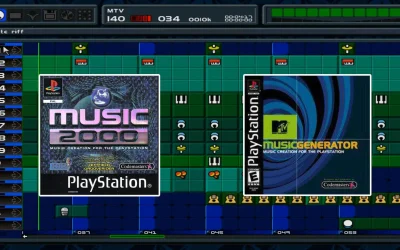
Platforms: PlayStation (PS1)Developer: Jester InteractiveRelease Date: 1999Genre: Music Creation/Simulation Introduction In the late ’90s, th...
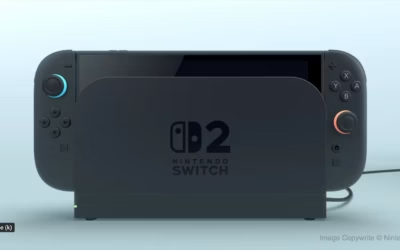
Understanding Game-Key Cards on the Nintendo Switch 2 Nintendo’s upcoming console, the Nintendo Switch 2, set for release on June 5, 2025, br...

The OneXPlayer Sugar 1 is a groundbreaking addition to the handheld gaming market, offering a unique dual-screen design that transforms the gaming ...
Microsoft’s Plans for an Xbox Handheld Console Microsoft is reportedly working on a dedicated Xbox Handheld Console, aiming to expand its gaming ...
Xbox Game Pass continues to be one of the best subscription services for gamers, offering a vast library of titles across multiple genres. As 2025 ...
Xbox is currently hosting a free games giveaway. This is a limited-time “Buy One, Get Two Free” sale, offering gamers the opportunity t...
GTA 6 Online Features Update As the gaming community eagerly anticipates the release of Grand Theft Auto VI (GTA 6) in the fall of 2025, recent dev...

Days Gone PS5 Remaster Announced at State of Play In a thrilling announcement during Sony’s State of Play on February 12, 2025, Bend Studio u...
PS4 games removed from PS Plus Sony Announces the End of PS4 Games on PS Plus: What It Means for Gamers In a move that has sparked mixed reactions ...
How to Sign Up for Battlefield Labs and Get Early Access to the Upcoming Battlefield Game The excitement for the next installment in the Battl...
Nintendo has officially unveiled its next-generation console, the Nintendo Switch 2, set to launch in 2025. Building upon the success of the origin...
EA has officially announced that the Battlefield returns the franchise to modern warfare. Fans who were disappointed by Battlefield 2042 can now ex...

It’s real! the PS5 Pro Officially Announced! Sony has finally confirmed the release of the long-rumored PS5 Pro. This upgraded console offers...
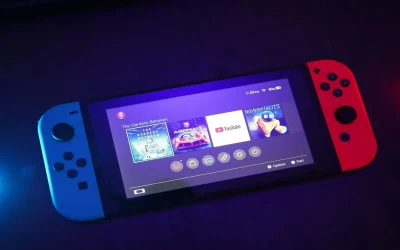
Nintendo plans to announce the successor to the Switch by April 2025, though it’s unclear if the new console will be named “Nintendo Sw...