









PSP Custom Firmware Guide

This guide will show you how to mod the PSP and install custom firmware.
Why install CFW on a PSP?
Installing CFW on your PSP will allow you to access and run Homebrew, such as productivity apps and games.
A hacked PSP can run emulators, you can also run PSP games without having the game inside the PSP.
Please note: THIS WILL NOT WORK ON E100 or the PSP Go models.
DIFFICULTY
Easy
DURATION
10 minutes
WHAT YOU NEED
- PSP (not E100 or PSP Go)
- PSP compatible memory card
- USB cord for the PSP
What you must know
It is legal to modify the PSP, but you have to be careful, as games are copyrighted. There are sites to obtain PSP game,s but be sure to make sure the ones you use are legitimate. A quick Google search should help you.
Disclaimer
As with any system mod, there is always a chance you can brick your system and you follow this guide knowing the risk, but If you follow this guide correctly then you will have CFW installed on your PSP.
Getting Started
Before you install CFW onto the PSP, you will need to update the firmware! The latest firmware is 6.61, and you can update this via the system settings or by obtaining it from the Sony website.
If you have downloaded the firmware from the Sony website then you need to connect the PSP to the computer copy it to PSP/GAME/Update folder and then run the update file from the PSP.
The files will need to be copied onto the PSP in USB mode in the settings.
Download the Custom Firmware
Search the web for “Infinity LME,” then download and extract the files and place the 6 files into PSP/GAME/.
As of writing, you can obtain the files HERE

With the files copied to the folder, unplug the PSP and go to the Game section in the PSP menu.
Select Memory stick and look for a file called LME Installer for 661.
Select the LME installer and press X to install modules as shown below.


On the PSP menu head back to the Game section and select Memory Stick then select LME Launcher for 661.
Leave this to run until finished; even if it looks like it’s not doing anything, just wait.

Once the installation is complete, the PSP will restart.
head back to the Game/Memory Stick folder on the PSP home screen and find 6.61 Infinity Firmware Builder, select Build Hybrid Firmware by pressing X.


The builder will take a couple of minutes, so be patient. once done, the PSP will again reboot.
In the next step, you need to connect the PSP back to the computer with the USB.
and head into the PSP/Game/Maker folder, in there will be a file called DATA.MFC and you will need to take this file and put it in the Flasher folder, the path is PSP/Game/Flasher.
You can now disconnect the PSP from the computer, we won’t have to connect the PSP to the computer again.
Once the PSP has rebooted head back to the Game section and Memory Stick then find and select 6.61 Infinity Firmware Flasher, select this and click start, then accept the terms by pressing X.


This will take a couple of minutes, and then the PSP will reboot by itself. Once don,e you will see a strange screen, but don’t panic; just press the O button, don’t press anything else, and if you see a message saying “Corrupt” error page. THIS IS NORMAL Just press O.
Next, head back once again to the Game menu and Memory Card, then select LME Installer for 661. when it’s loaded, you want to press X to install the modules, and again the PSP will reboot.

Next, head to the Game menu and Memory Card on the PSP home screen, then find and select LME Launcher for 661 and press the X button to let it run; again, the PSP will restart.
Back to the Game menu and Memory Card on the PSP menu, find and select Infinity Bootloader Configuration, and press X.
On the next screen, press left on the D-pad and select the bottom option MF CFW by neurOn and press the X button. after a while, an asterisk will appear next to the option we just selected, and once this show,s we can now press the Home button to exit.

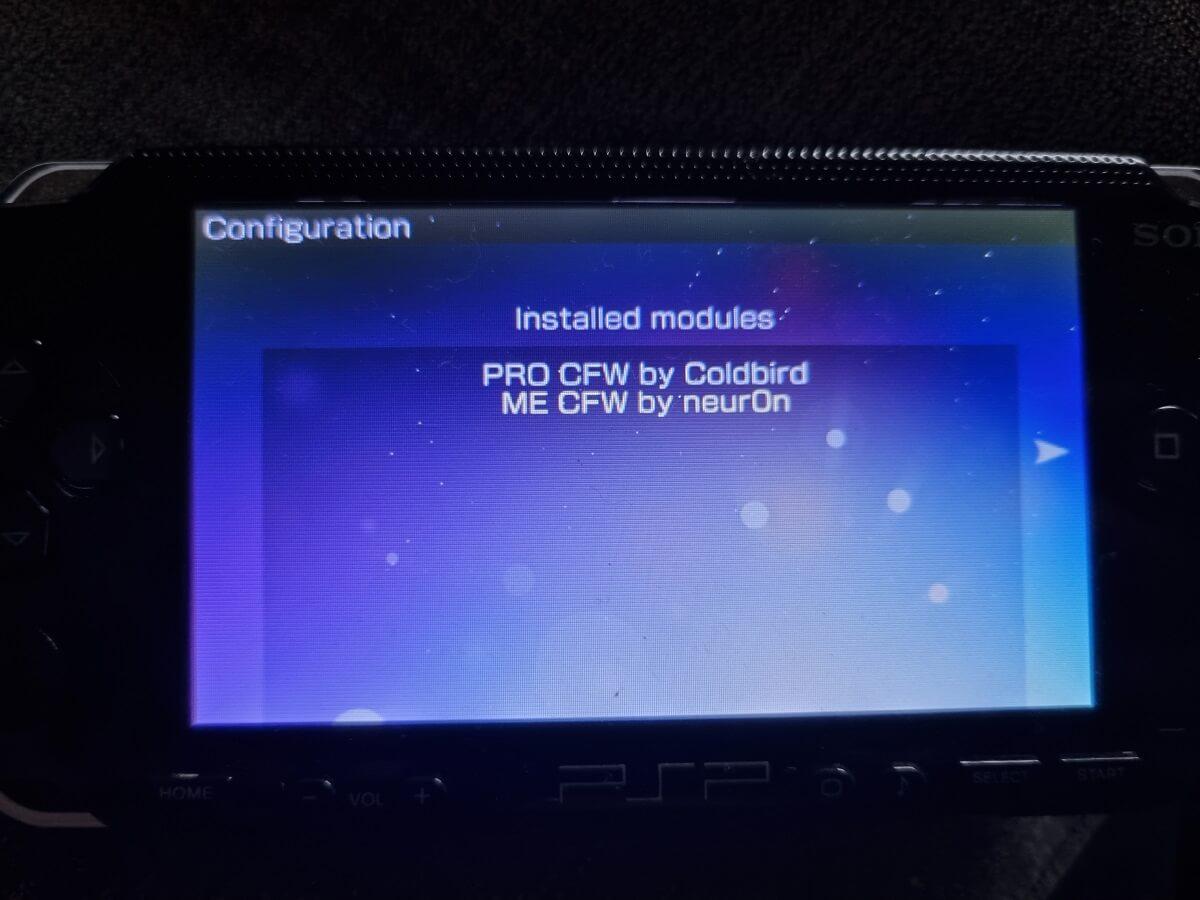
The PSP will reboot again, and now we have the Custom Firmware installed. You can check to make sure it is installed by going to the system settings and system information, here, it will say 6.61 LME.
You can remove some of the installation files if you prefer, but do not delete the Infinity Configuration.
How to hack the NES and SNES Classic mini